
Best Travel Apps for Planning Every Trip Smarter
Planning a trip should be fun, but it often feels the most overwhelming. Between comparing flights, booking hotels, figuring out transportation, and tracking confirmations, it’s easy to spend more time planning your vacation than enjoying it.
After years of planning everything from quick weekend getaways to multi-country European adventures, I’ve tested dozens of travel apps to find out which ones genuinely make traveling easier—and which ones just take up storage space on your phone. Some have saved me hundreds of dollars on flights, others have helped me avoid booking mistakes, and a few have become so essential that I won’t travel without them.
If you’re looking for the best Europe travel apps or want tools that make planning any vacation easier, these are the ones I rely on before and during every trip.
In this guide, I’m sharing the travel planning apps I actually use before and during every trip. Whether you’re looking for the best vacation planning apps to organize your itinerary, find cheaper flights, book hotels, or navigate a new city, these tools have consistently made my travels smoother and far less stressful.
Affiliate Disclaimer: Some links on this blog are affiliate links. This means that, at no additional cost, the author may earn a small commission if you purchase through these links. As an Amazon Associate, I earn from qualifying purchases.
The Best Travel Apps for Planning: My Tried-and-Tested Favorites
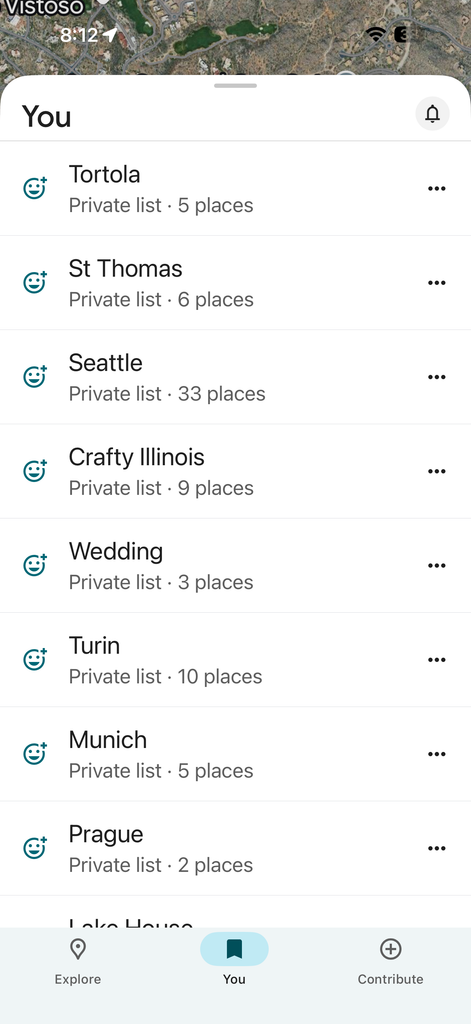
1. Google Maps & Google Docs
✅ Best for: DIY planners, itinerary mapping lovers
💰 Free
One mistake I made on my first European trip was planning attractions based on popularity instead of geography. I ended up walking across London three different times in one day. Now I pin everything in Google Maps first and organize my itinerary neighborhood by neighborhood. It easily saves me hours of unnecessary walking and transit on every trip.
I also love seeing all my saved pins on the map. Even if a museum, café, or viewpoint isn’t part of that day’s itinerary, I can quickly see what’s nearby if we finish early or decide to change our plans. Some of my favorite travel discoveries have happened simply because I noticed something interesting just a few blocks away from where we already were.
Once I know what we’ll be doing each day, I create a shared Google Doc that becomes my own itinerary planner. It keeps our accommodations, daily schedule, reservation details, and travel notes in one place, making it one of my favorite free trip-planning tools.
My husband, who’s a CPA, would probably tell you to use a spreadsheet, but I find a simple document much easier to work with. I list where we’re staying each night, our daily plans, reservation details, and any notes I’ve collected during my research, like restaurant recommendations, parking tips, or things I don’t want to forget.
It’s not fancy, but having everything in one place makes it easy to stay organized, update plans as they evolve, and share the itinerary with anyone traveling with us.
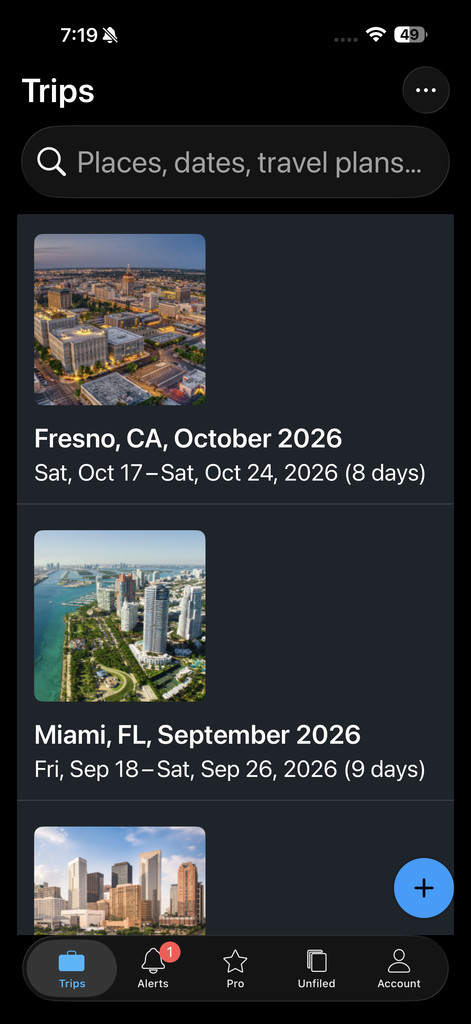
2. TripIt
✅ Best for: Organizing confirmations, spotting itinerary gaps
💰 Free with premium upgrade available (I use the free version)
I’ve used TripIt for over 10 years, and it’s still one of the first apps I open when I’m planning a trip. I just forward my confirmation emails for flights, hotels, rental cars, and tours, and it automatically builds a single itinerary in chronological order.
What I love most is that it has caught mistakes I probably wouldn’t have noticed until I was traveling. I’ve discovered I forgot to book a return flight, realized I had accidentally reserved a hotel for the wrong dates, and even caught a double-booked hotel night before it became an expensive problem. Seeing all my flights, accommodations, and tours in one place also makes it easy to spot when I’ve packed too many activities into one day or scheduled overlapping tours.
Instead of digging through dozens of confirmation emails, I can open one app and see my entire trip at a glance. That peace of mind alone makes TripIt one of my must-have travel planning apps.
If you’re looking for an itinerary planner app that keeps all your reservations organized in one place, TripIt is still my favorite after more than a decade of use.
3. Booking.com
✅ Best for: Comparing and booking hotels in one place
💰 Free to use
Booking.com has become my go-to for finding accommodations because it makes it easy to compare everything from traditional hotels to apartments in one place. I especially appreciate the flexible cancellation policies and the option to reserve now and pay later, since I rarely book non-refundable accommodations. Travel plans can change, and I like keeping my options open as long as possible.
One feature I’ve found especially useful is searching for apartments alongside hotels. When planning our trip to Italy with my husband, his cousin, and his wife, I booked a spacious two-bedroom, two-bath apartment instead of two separate hotel rooms. It was more convenient for spending time together and often worked out as a better value.
Whether I’m planning a weekend getaway or a longer international trip, Booking.com lets me compare different types of accommodations and book with confidence, even if my itinerary isn’t fully finalized yet.
4. Viator & GetYourGuide
✅ Best for: Finding vetted tours, especially in Europe
💰 Free to browse, cost depends on tour
I use both Viator and GetYourGuide whenever I’m planning activities because they make it easy to compare tours, read reviews, and book everything from wine tastings and cooking classes to skip-the-line museum tickets in one place. They’re among my favorite travel apps for Europe, especially when I’m planning trips to cities like Rome, Paris, or Florence.
Instead of spending hours researching dozens of individual tour companies, I can quickly find highly rated experiences that fit my itinerary.
One feature I especially appreciate is the option to reserve now and pay later. I like to book popular experiences early so I don’t miss out, but I also want the flexibility to adjust my plans if my itinerary changes.
One of my favorite experiences booked through these platforms was a skip-the-line Vatican tour. We avoided the incredibly long entrance line and ended up with one of the best tour guides we’ve ever had, even after visiting the Vatican multiple times. Experiences like that remind me that a great guide can completely change how you experience a destination.
These are usually the first places I look when I’m planning a trip because they’ve consistently made finding memorable experiences simple and stress-free.
5. OpenTable
✅ Best for: Reserving restaurants in busy cities
💰 Free
Avoid the dreaded “Sorry, we’re fully booked” by booking through OpenTable, especially in popular destinations like Maui, London, Paris, or Rome, where the best restaurants can fill up weeks in advance.
After missing out on dinner at one of our favorite Maui restaurants because we waited too long to book, I learned my lesson. As soon as my travel dates are confirmed, I use OpenTable to reserve all my must-visit restaurants before I even leave home.
It gives me peace of mind knowing I won’t miss out on the places I’ve been looking forward to, while still letting me adjust reservations if my plans change.
If there’s one thing I’ve learned from traveling, it’s that you can usually find another tour, but it can be surprisingly difficult to get a table at a popular restaurant if you wait until you arrive.
6. Google Flights
✅ Best for: Finding and tracking flights
💰 Free
While it’s not technically an app, Google Flights is always my first stop when I’m planning a trip. I use it to compare airlines, monitor fares, and search for flexible travel dates before I book.
One of my favorite features is its price-tracking alerts. When I planned our trip to Italy, I tracked flights for several months and waited until Google Flights alerted me to a fare drop. By being flexible with our travel dates and booking when prices dipped, we saved several hundred dollars compared to the prices I had originally found.
I also love that Google Flights tells you whether the current fare is considered high, typical, or low based on historical pricing. It takes a lot of the guesswork out of deciding whether to book now or wait a little longer.
Best Travel Budgeting Apps for Group Trips
7. Splitwise
✅ Best for: Group trips and splitting expenses fairly
💰 Free with Pro upgrade
If you’re traveling with friends or family, I never travel without Splitwise. My friends and I’ve used it for years after one trip where we ended up sorting through a pile of receipts and building a spreadsheet just to figure out who owed what. We quickly realized there had to be a better way.
Now everyone can simply enter their own expenses in the app throughout the trip, whether it’s hotel costs, shared Ubers, groceries, or meals. At the end, Splitwise automatically calculates exactly who owes what, so there’s no awkward math or chasing people for payments.
It’s made group travel much less stressful, so my husband now uses it on his annual guys’ trips, and I recently introduced it to my nieces during a family girls’ getaway. Once people use it for one trip, they usually don’t want to travel without it again.
Best Navigation & Offline Travel Apps
8. Google Maps (with offline feature)
✅ Best for: City navigation
💰 Free
I always download offline maps in Google Maps before I leave for a new destination. I’ll admit it, I’m terrible with directions. Having a map available at all times gives me peace of mind. Whether I’m walking through a new city or driving somewhere unfamiliar, I know I can find my way even without Wi-Fi or before I activate my data plan.
Downloading offline maps is part of my pre-trip routine and one of my favorite offline travel app tips for international travel. I’d rather spend my time exploring than worrying about finding Wi-Fi or getting lost.
9. Rome2Rio
✅ Best for: Comparing buses, trains, ferries, and flights
💰 Free
Want to get from Florence to Nice? Rome2Rio lays out every transportation option. From trains, buses, ferries, flights, and even driving routes, so you can quickly compare the best way to get from one destination to another.
I relied on Rome2Rio while planning our most recent European itinerary through Kraków, Prague, Munich, Verona, and Turin. Since we were visiting multiple countries and cities, it helped me map out how to travel between each destination before I started booking trains and flights. Instead of spending hours researching each route separately, I could quickly see all my transportation options and decide which made the most sense based on travel time and cost.
I still use Rome2Rio whenever I’m planning a multi-city itinerary because it’s one of the quickest ways I’ve found to answer the question, “What’s the best way to get from here to there?” It’s especially useful for planning trips across Europe, where you’ll often have several transportation options between cities.
10. Citymapper
✅ Best for: Local navigation in major cities (especially Europe)
💰 Free
I first started using Citymapper when we were living in London in 2019. One of my husband’s coworkers recommended it, saying it was much better than Google Maps for navigating London’s public transportation system. I was skeptical at first, but after trying it, I quickly realized they were right.
Since then, Citymapper has become my go-to app for navigating public transit in major cities like London, Paris, and Berlin. If you’re visiting several cities on one trip, it’s one of the most useful Europe travel apps I’ve found for getting around confidently without renting a car.
I find its directions easier to follow, especially when there are multiple train, bus, and walking options, and it’s helped me feel much more confident using public transportation in unfamiliar cities.
11. Omio
✅ Best for: Booking European trains and buses
💰 Free to use; service fees may apply
Omio has become my favorite Europe travel app for booking trains across Europe because it lets me compare multiple train companies in one place, instead of jumping between several websites or apps. I can quickly compare departure times, travel durations, and prices, and I especially like that it highlights the cheapest and fastest options at a glance.
I found Omio especially helpful when planning our Italy trip. Since we were traveling between several cities, different regional train companies operated many of the routes. Instead of figuring out which company served each route and checking multiple websites, I could compare all my options in a single search and book the itinerary that best fit our schedule and budget.
For anyone planning a multi-city European itinerary, Omio takes the guesswork out of train travel and simplifies the entire booking process.
12. FreeNow + Uber
✅ Best for: Rideshare apps, depending on the region
💰 Free to use
Depending on the country, I use Uber or FreeNow. One of my favorite ways to get around London is by taking the iconic Black Cabs, but I’ve learned that hailing one on a busy street isn’t always as easy as it looks.
FreeNow lets me book a Black Cab the same way I would book an Uber, so I know a taxi is on its way without standing on the sidewalk hoping one drives by. I keep both apps on my phone because different countries and even different cities favor different services. Having both installed means I’m always prepared, no matter where I’m traveling.
More Travel Apps Worth Downloading (Especially for Europe)
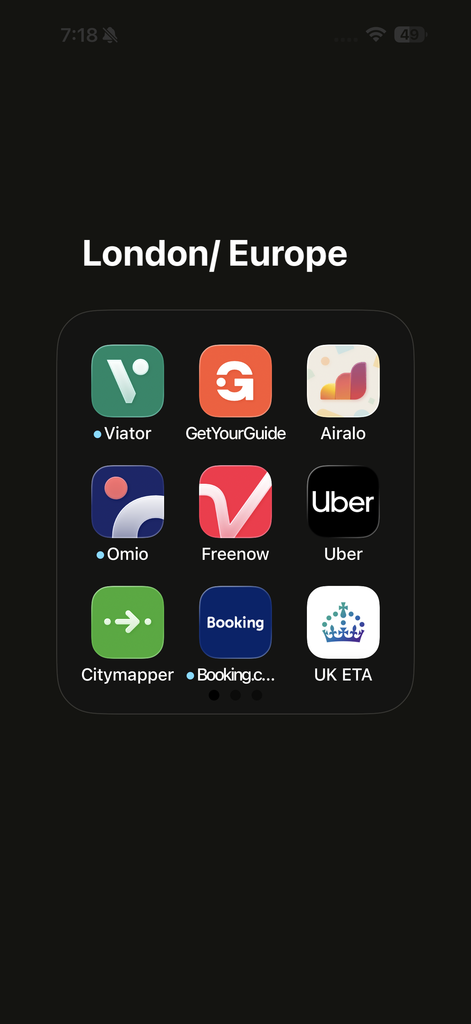
Here’s what’s always in my travel folder:
Communication:
WhatsApp – Essential for international messaging and calls
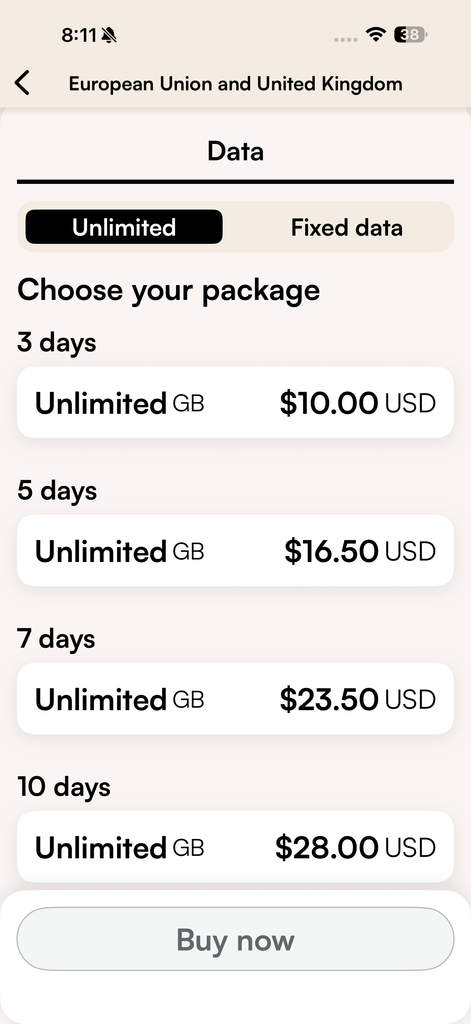
Airalo – My favorite eSIM app for staying connected abroad. It’s one of the first apps I download before leaving home.
Language & Currency:
Google Translate – Translate signs, menus, and conversations
XE – Real-time currency conversion
Flights & Accommodations:
Airline apps – Mobile boarding passes, gate changes, flight alerts, and easier rebooking if your flight is delayed or canceled.
Hotel apps – Mobile check-in, digital room keys (where available), direct messaging with the hotel, and managing reservations.
Hiking:
AllTrails – For hiking routes and trail reviews
Road Trips:
GuideAlong – Road trip audio tours
GuideAlong is one of those hidden gems I wish we’d discovered sooner. We first started using it on Maui because there is so much driving, and we wanted to learn more about the island as we explored. The app narrated Hawaiian history, pointed out places we would have driven right past, and was especially helpful while driving the Road to Hana. We enjoyed it so much that we eventually purchased the tours for all of the Hawaiian Islands.
Since then, it’s become one of our favorite road trip apps. I even introduced it to my friend and two of her friends during a road trip through Utah’s state parks. I’ll admit, I worried they might think it was cheesy or get tired of listening. Instead, every time we got back in the car after hiking or sightseeing, someone would ask, “Can you turn GuideAlong back on?”
That’s when I knew it was a winner. Now it’s a must-have for our annual road trips because it turns long drives into part of the adventure, not just time between destinations. We learn about the area’s history, geology, and hidden stops along the way, making the journey as memorable as the places we visit.
Explore Your Destination:
Rick Steves Audio Tours – Excellent free walking tours in Europe
GPSmyCity – Self-guided walking tours
My husband and I are longtime fans of Rick Steves’ audio tours. We’ve completed all of his London and Rome tours and still recommend them whenever they’re available. The challenge is that he doesn’t have walking tours for every European city, or we’ve already done them.
That’s what led us to GPSmyCity. It offers self-guided walking tours in destinations where we wanted a little more structure but still wanted the freedom to explore at our own pace. One of our favorite experiences was using it in Verona, where Rick Steves doesn’t currently offer a walking tour.
The best part about self-guided tours is that you’re never tied to someone else’s schedule. If a museum catches your eye, you can stop. If you stumble across a beautiful viewpoint, you can stay as long as you’d like. During our Verona walk, we discovered a small deli along the river that created picnic baskets to enjoy on its terrace overlooking the water. We paused the tour, picked up lunch, and spent an hour relaxing by the river before continuing on.
Moments like that are why we love self-guided tours. As we like to say, you have to be open to the unexpected—not stuck to a rigid schedule. GPSmyCity gives us just enough guidance to learn about a destination while still leaving room for those spontaneous discoveries that often become our favorite travel memories.
My Favorite Tools at a Glance
| Category | App Name(s) |
| Itinerary Planning | Google Docs/Sheets, TripIt |
| Booking Hotels | Booking.com |
| Tours & Activities | Viator, GetYourGuide |
| Restaurant Booking | OpenTable |
| Flight Search | Google Flights |
| Group Budgeting | Splitwise |
| Navigation & Transportation | Citymapper, Google Maps, Rome2Rio, Uber, FreeNow, Omio |
| Connectivity | Airalo, WhatsApp |
| Extras | XE, Google Translate, GuideAlong, AllTrails, GPSmyCity |
How to Use These Best Travel Apps for Planning
Ready to make trip planning easier? Here’s how to get started with the best travel apps for planning your next adventure:
- Download the Essentials First:
Start with Google Maps, TripIt, Google Flights, and Booking.com to cover your basics—navigation, itinerary, flight searches, and hotels. - Add Extras Based on Your Trip:
- For tours and activities: Viator, GetYourGuide
- For group travel: Splitwise
- For trains/buses in Europe: Omio
- For restaurant reservations: OpenTable
- For connectivity: Airalo eSIM
- Pro Tips:
- Download each app before your trip and create accounts in advance.
- Save your reservations and important info in your favorite itinerary app for quick access.
- Use offline map features (like in Google Maps) when heading abroad.
Ready to download?
Grab all my favorite apps for planning below—these are the exact tools I use for every trip. (Some links are affiliate links, which help support my site at no extra cost to you!)
- Google Maps
- TripIt
- Booking.com
- Google Flights
- Viator
- GetYourGuide
- Splitwise
- Omio
- OpenTable
- Airalo eSIM
Tip: Bookmark this page so you have the best travel apps for planning at your fingertips whenever wanderlust strikes!
Final Thoughts
The right travel planning apps won’t magically plan your vacation, but they can save you hours of research, help you avoid costly mistakes, and make your trip run much more smoothly. After years of planning my own trips, I’ve found myself coming back to these tools again and again because they simply work.
If you’re just getting started, you don’t need to download every app on this list. Start with Google Maps, TripIt, Google Flights, and Booking.com. Those four alone will cover most of your planning needs. As you travel more, you’ll quickly discover which additional apps best fit your travel style.
Once you’ve chosen your planning tools, the next step is turning all those reservations and ideas into a realistic itinerary. That’s where good trip planning really comes together.
If you’d like help, check out my guide on How to Create a Travel Itinerary, where I walk through the exact process I use to organize each day of my trips.
This is the exact collection of apps I open before every trip. They’ve helped me save money, stay organized, and spend less time stressing over logistics. I hope they do the same for you.
Go Grab Life. And don’t forget to wear sunscreen.
Happy Exploring!